Built for top-quality audiobook prep

Prep your audiobook faster - without losing control

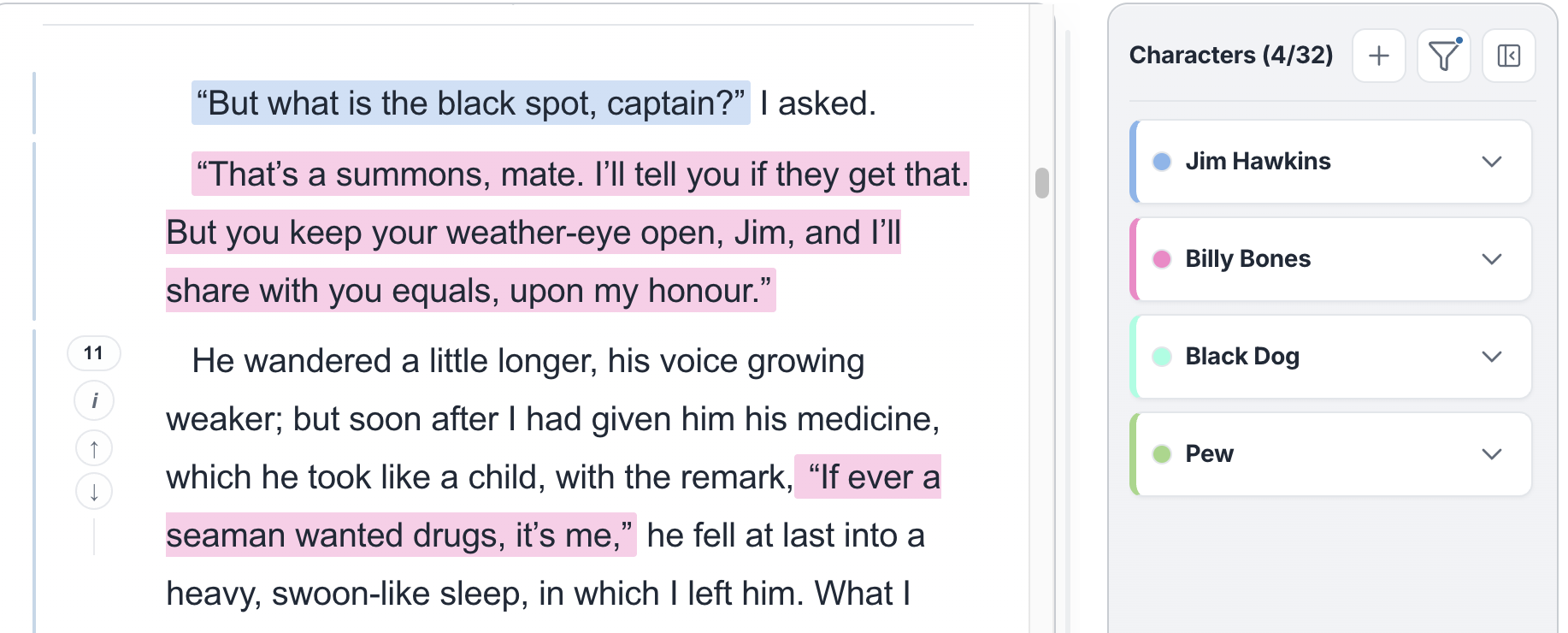
PrepBoss helps narrators produce top-quality prep faster. In one workspace, the cast list is built, the manuscript is automatically split into likely scenes, dialogue is automatically attributed, likely delivery cues like whispering or shouting are surfaced in context, and tricky language comes with research and suggested pronunciation audio before recording starts. You keep final control over every call.

PrepBoss dialogue attribution view showing character speakers highlighted in the manuscript
Why prep takes so long

Narration prep is scattered and manual

Before recording, narrators often have to track decisions across chapters, browser tabs, spreadsheets, and side notes just to stay consistent.

When character work, dialogue review, and pronunciation research live in different places, producing top-quality prep takes longer and session-time confidence drops.

Before recording, narrators often have to:

  • Track characters and callbacks across chapters or a full series
  • Keep side notes, spreadsheets, and browser tabs in sync
  • Research unusual names, words, and foreign phrases by hand
  • Sort out dialogue-heavy scenes before stepping into the booth
Workflow

From manuscript to a top-quality, booth-ready prep workspace

Upload the book, review the outputs, and carry those decisions into the booth without juggling side systems.

1

Upload your manuscript

DOCX, EPUB, or PDF with no special formatting required.

2

Import returning characters if needed

Before the next book in a series is processed, optionally pull forward the characters, notes, and voice references you already trust.

3

Open the review workspace

Once processing finishes, move into one workspace for cast review, automatic scene splits, dialogue attribution, speech-delivery cues, and language decisions.

4

Record with prep decisions in one place

Bring character notes, dialogue calls, delivery cues, and pronunciation decisions into the booth with your top-quality prep already organized.

Inside step 3

Review the processed book before you record

The review workspace gives you clear surfaces for character review, scene review, dialogue review, speech-delivery cues, vocabulary research, and manual corrections so you can build top-quality prep before you record.

Dialogue Review

PrepBoss automatically splits the manuscript into likely scenes, attributes dialogue to likely speakers, surfaces likely delivery cues for the line, and lets you override anything that does not match your read of the scene.

  • Automatic scene split marks likely scene boundaries before you record
  • Automatic dialogue attribution with context-based speaker assignments
  • Surface likely delivery cues such as whispering, shouting, or sarcastic reads
  • Reassign dialogue or mark it back to narration
PrepBoss dialogue reassignment modal showing manual control over a dialogue decision before recording

Character Chart

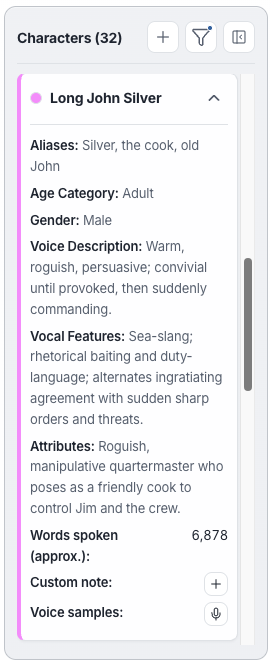
PrepBoss builds the cast list from the manuscript so you can review voice cues, keep notes in one place, and prep faster before recording.

  • Automatically extracted, editable character profiles from the manuscript
  • Voice reference clips for fast recall

Vocabulary & Pronunciation

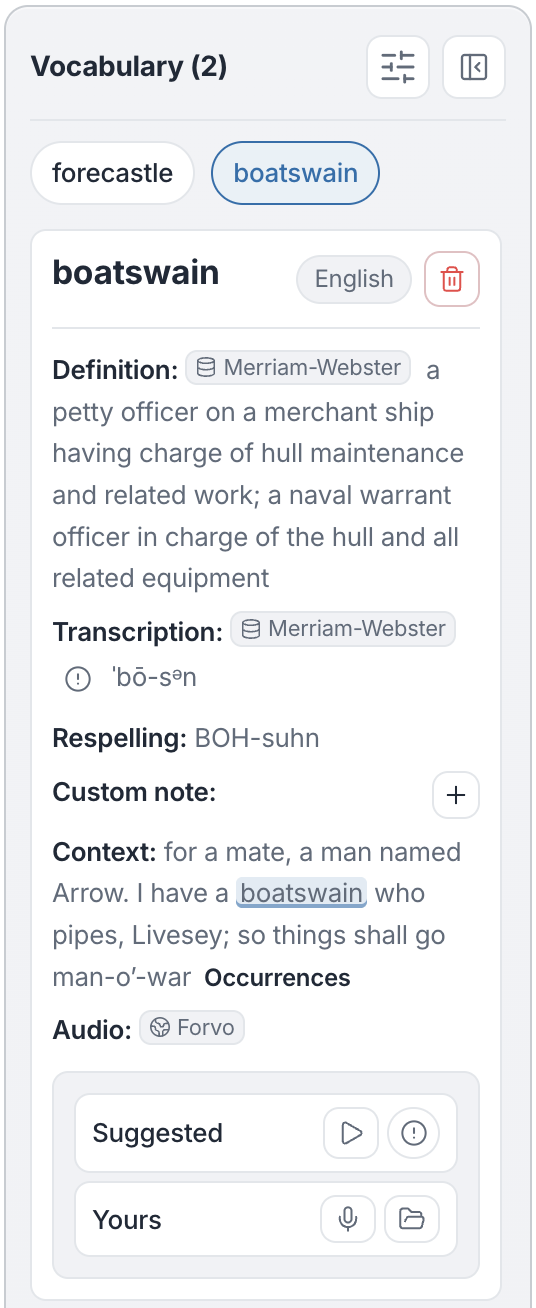
Resolve unfamiliar language in context with definitions, translations, and suggested pronunciation audio without leaving the manuscript.

  • Definitions and language cues stay tied to the passage
  • Play suggested pronunciation audio and save your own note with the text

Pricing

Start with one book. Upgrade as your workload grows.

Pricing is opening soon. Contact us if you want early access or team plans.

Frequently asked questions

Common questions from narrators about PrepBoss.

Get notified when we launch

PrepBoss is launching soon. Be the first to know when it's live — plus get early-bird access and updates on new features.

No spam, ever. Unsubscribe anytime.