Reference
Vocabulary
Resolve rare words, place names, nautical terms, invented language, and anything else that should not be guessed during recording.
Request pronunciation research
- 1During book processing, PrepBoss automatically researches up to 300 difficult or non-English words found in the manuscript. Just remove what you don't need.
- 2Select a word or phrase in the text and click 'Discover pronunciation'
- 3In a few seconds you will get the word definition, transcription, phonetic respelling, and pronunciation audio
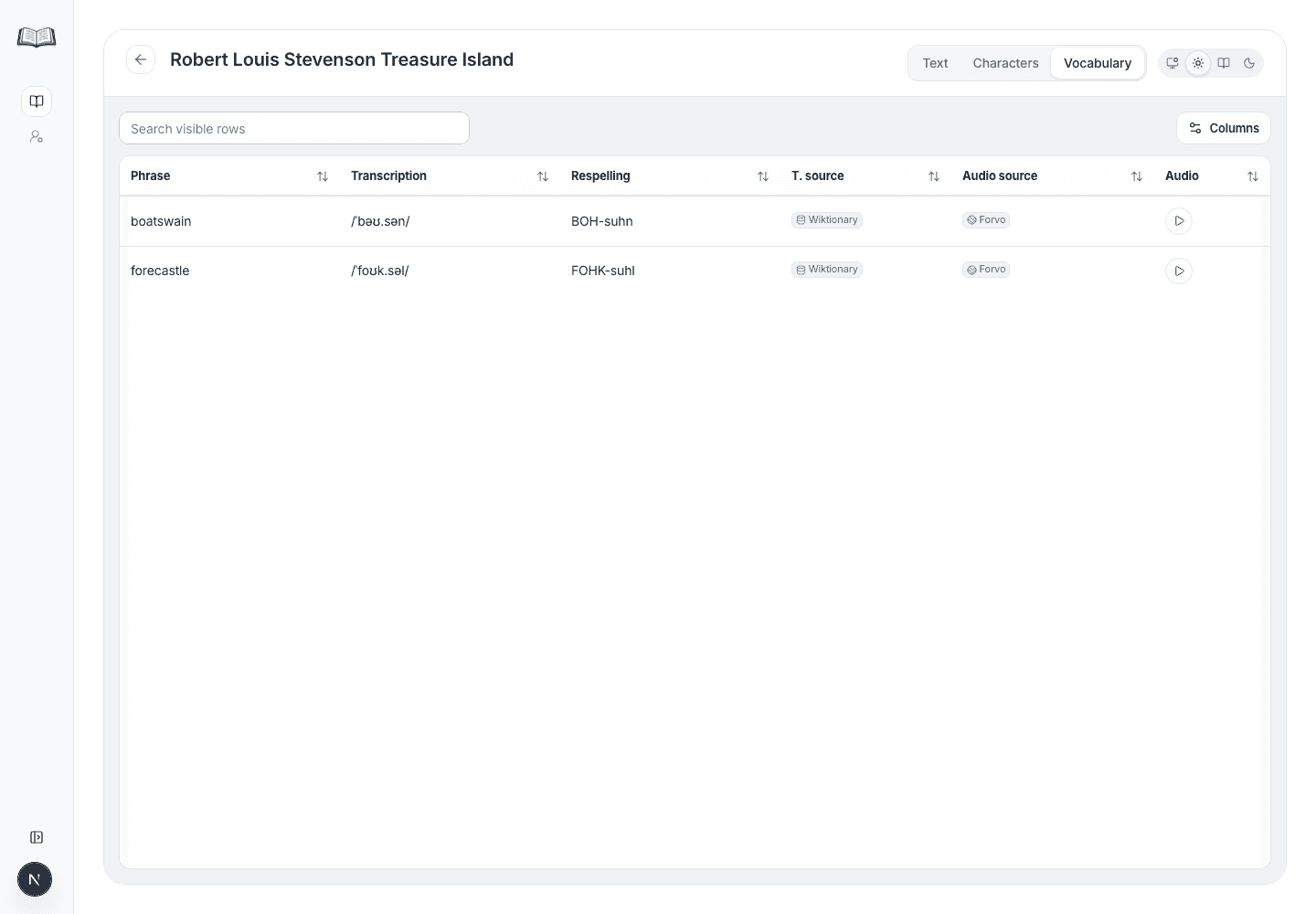
- 4You can review the results in the 'Vocabulary' panel or tab.
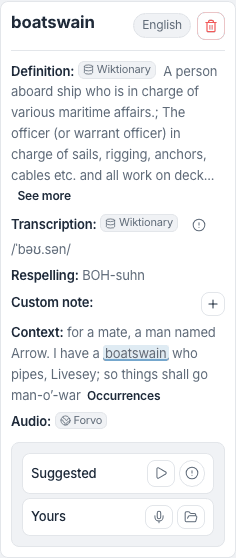
Choose transcription and audio sources
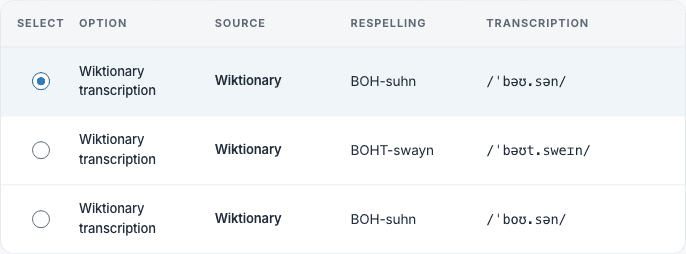
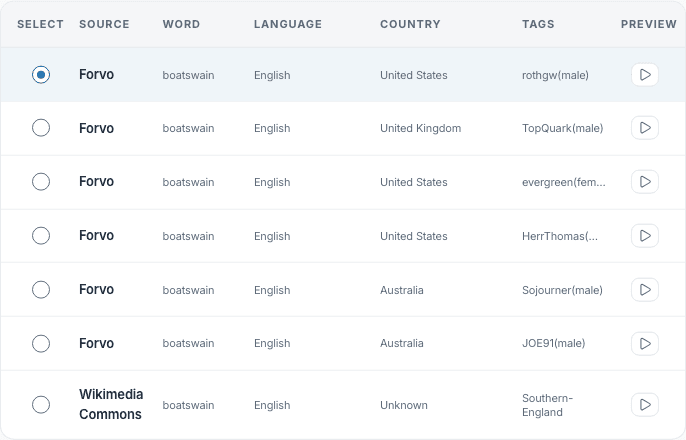
PrepBoss provides multiple options for the same word. Choose the source that fits the manuscript context instead of treating the first option as automatically final.
- 1Sources used: Merriam-Webster, Forvo, Wiktionary/Wikimedia
- 2The app will choose the best option based on context and the source (e.g. Merriam-Webster will usually be preferred over Wikimedia)
- 3If the word wasn't found anywhere, the app will auto-generate transcription and audio for you
- 4Choose the option you find best via 'info' icon
- 5If none of the options fit the context, you can record and upload your own pronunciation
- 6Add custom notes if needed.
Review the researched words
The Vocabulary tab is great for reviewing all the researched words.
- 1Open the Vocabulary tab.
- 2Scan Phrase, Definition, Transcription, Respelling, Transcription source, and Audio source.
- 3Search and filter words
- 4Use 'Columns' menu to reduce the table to the fields needed for the current pass.