Handoff
Review requests
Create a focused Excel workbook when an author, producer, proofer, or co-narrator needs to review selected prep without access to the full book workspace. Add the whole prep or any part of it.
Create a review
Start the request from the processed book you want someone else to check.
- 1Open the book's Text tab and click Reviews in the top toolbar.
- 2Click New review.
- 3Enter a title, choose how long the workbook's audio access should remain available, and add instructions for the reviewers.
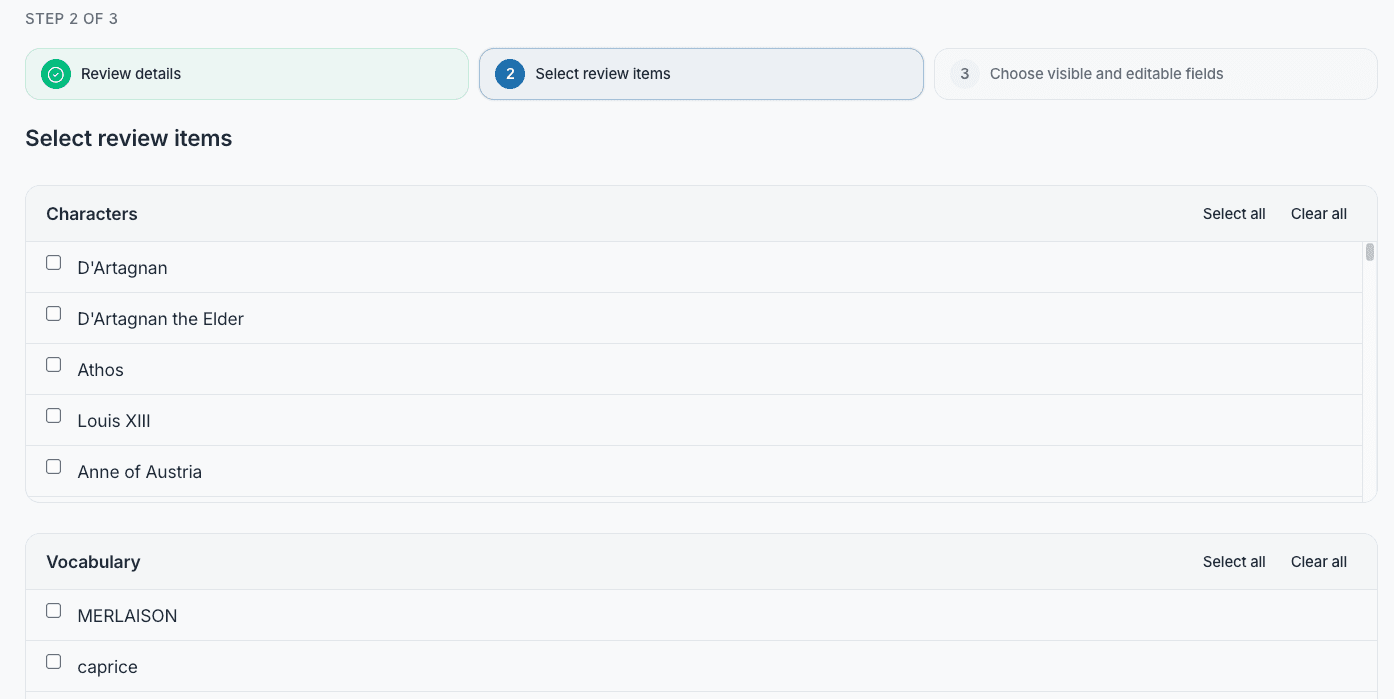
- 4Click Next to choose the material included in the workbook.
Choose what the reviewer receives
Review requests use a fixed snapshot of only the material you select.
- 1Select the characters, vocabulary entries, and notes that need external input.
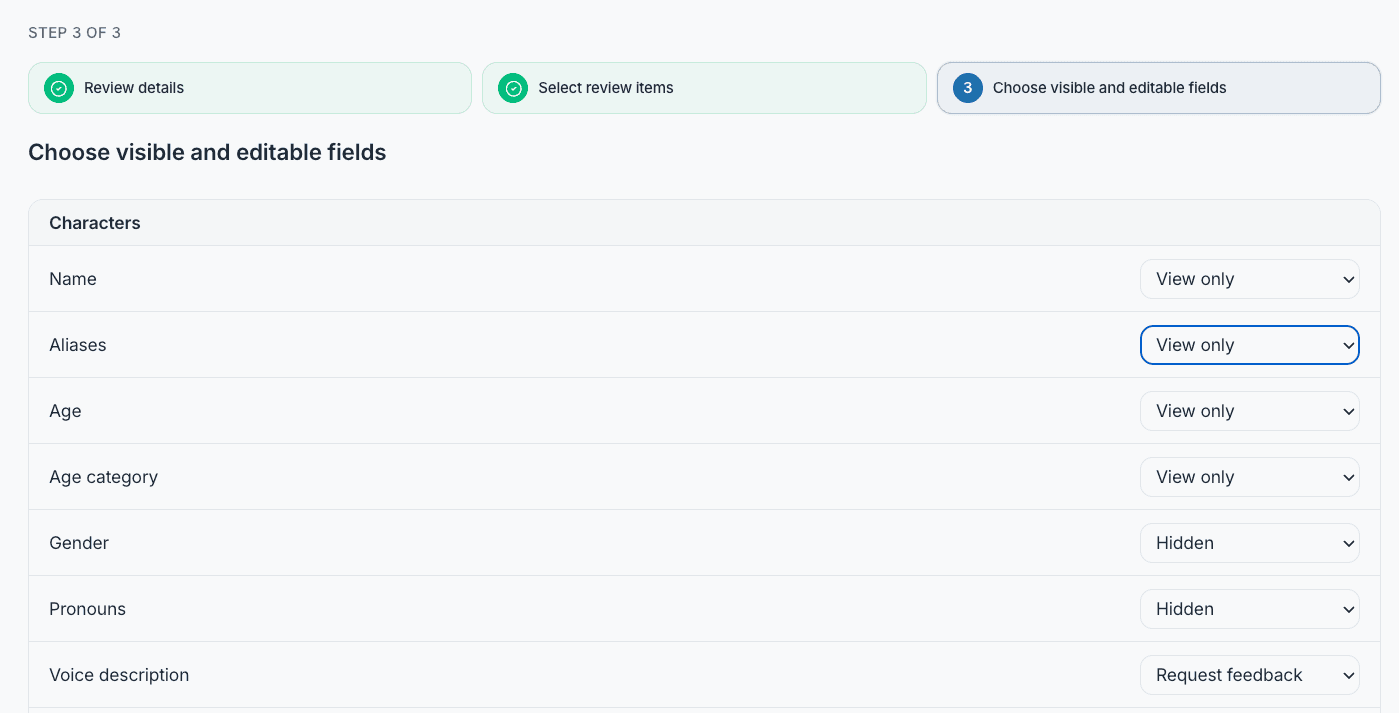
- 2Click Next and set each field to Hidden, View only, or Request feedback.
- 3Click Create and download Excel to create the request and save the workbook.
The rest of the book stays private
The workbook contains the selected prep snapshot, not the full manuscript or general access to the PrepBoss book.
Share one workbook
Send the downloaded .xlsx file to everyone participating in the review.
- 1Ask reviewers to work in the same shared copy so their feedback stays together.
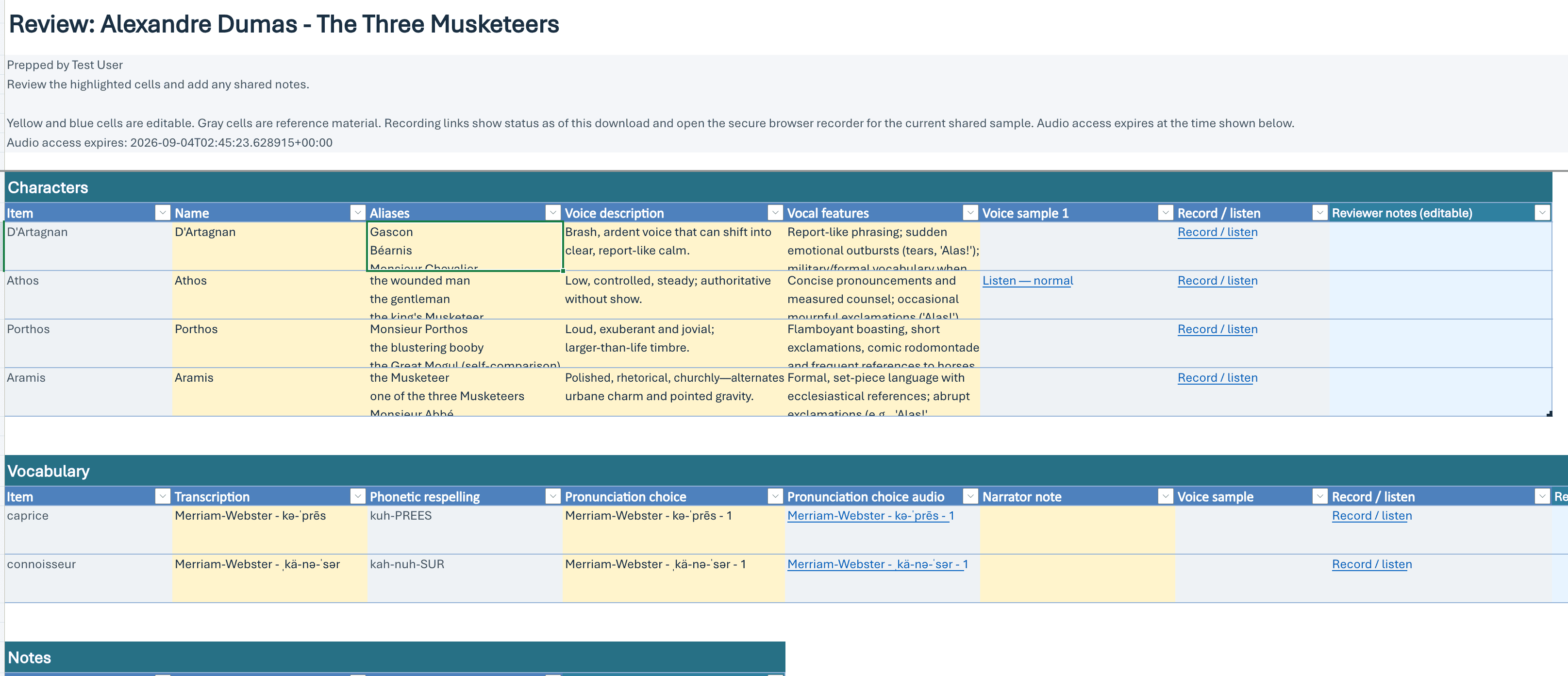
- 2Reviewers add feedback in the yellow and blue cells. Gray cells are locked reference material.
- 3Use the workbook's links to listen to available samples or open the secure browser recorder. Audio access ends two months after the workbook is generated.
- 4Character-question rows include their own answer recording link when the answer column is selected.
- 5Collect the completed workbook when the reviewers finish.
Manage an existing review
Open Reviews from the book toolbar to see previous requests and their current status.
- 1Use Download replacement when collaborators need a fresh workbook or renewed audio access. The old workbook's audio links stop working, so everyone must switch to the replacement.
- 2Close review to disable its public audio and recording access when the handoff is finished.
- 3Delete removes the review request and its stored review data permanently.